SwitchyOmega alternatives for Chrome: ZeroOmega, FoxyProxy and more
By the AxioAPI team · Published
Proxy SwitchyOmega is a Chrome extension for managing several proxies and switching between them by rule. Its original version is no longer developed, so people look at ZeroOmega, a popular fork, or at FoxyProxy and other extensions. Which one is best depends on whether you need rules and your own proxies or just a quick way to connect from a location. We are not affiliated with any of these projects.

What SwitchyOmega does
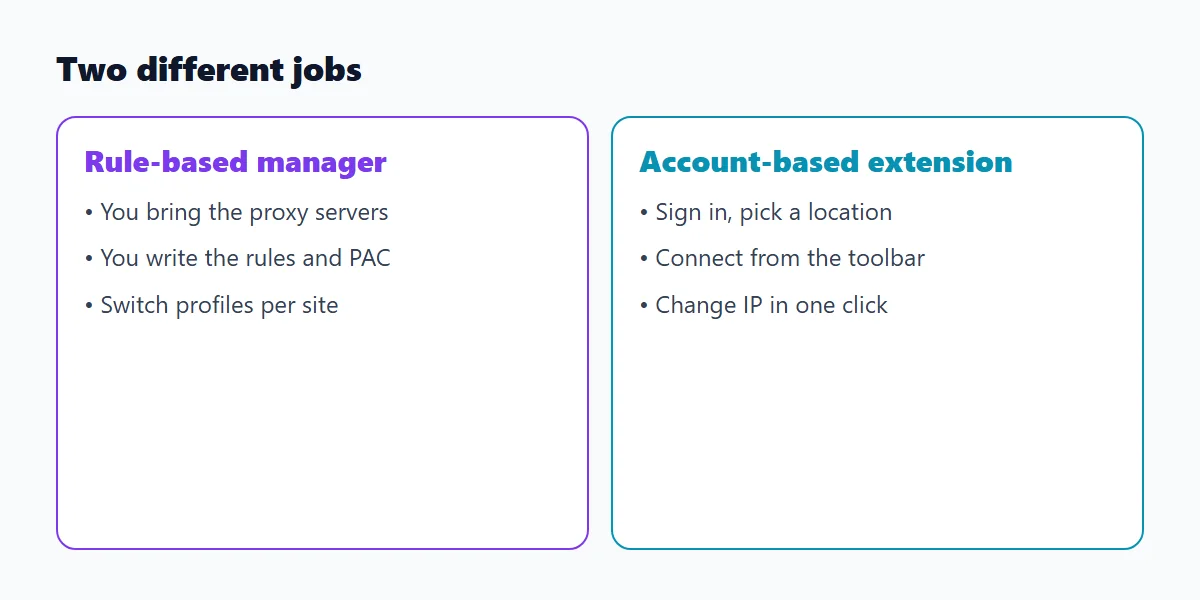
SwitchyOmega lets you create profiles, each pointing at a proxy server, and switch between them from the toolbar. Its auto-switch rules send some sites through a proxy and the rest directly, and it supports PAC scripts for more complex routing. It does not provide proxies: you bring your own.
Proxyway notes that SwitchyOmega has ceased development but is still widely used, which is why alternatives matter.
What ZeroOmega is
ZeroOmega is described by Proxyway as the biggest and most popular fork of SwitchyOmega. It keeps the profile and rule model, is open source and runs on Chrome, Firefox and Edge. It has no built-in proxies, so it suits you if you already have proxy servers and want rules. Basic setup is the same idea as the original: create a profile, set the protocol, server and port, add a login if needed, then apply the changes.
How to set up ZeroOmega or SwitchyOmega in six steps
- Install the extension from the browser store and pin it to the toolbar.
- Open its options and create a new proxy profile.
- Choose the protocol, then enter the server and port from your provider.
- If the proxy needs a login, add the username and password for that profile.
- Apply the changes, then pick the profile from the toolbar menu.
- Check your address on an IP lookup page. Menu names vary slightly between versions.
SwitchyOmega alternatives compared
The first six rows summarize what Proxyway reports in its comparison (checked in October 2026); the last row describes Axio Proxy from our own extension. Features change, so check each listing before you decide.
| Extension | Browsers | Proxies it uses | Notes |
|---|---|---|---|
| ZeroOmega | Chrome, Firefox, Edge | Your own | Open source; profiles and auto-switch rules; no built-in proxies |
| FoxyProxy | Chrome, Firefox, Edge | Your own | Open source; pattern testing, IP and location check; a paid tier exists |
| Webshare extension | Chrome | Webshare proxies only | Basic functionality; offers free datacenter proxies |
| Oxylabs extension | Chrome | Oxylabs proxies built in | No auto-switching; offers free US datacenter proxies on sign-up |
| Decodo (Smartproxy) extension | Chrome, Firefox | Decodo proxies built in | Not many options; free trial offered |
| BP Proxy Switcher | Chrome, Firefox, Edge | Your own | Auto-rotation; config by pasting text or loading a URL |
| Axio Proxy | Chrome | Proxies from your AxioAPI account | Choose a location, change IP, limits WebRTC leaks; no per-site rules or custom list |
What rule-based switching looks like
A PAC file is a small function that Chrome calls for every request. This one sends one domain through a proxy and everything else directly. The address is a placeholder. Tools such as ZeroOmega and FoxyProxy build this kind of rule for you in a menu.
// proxy.pac: send only some sites through a proxy, everything else direct
function FindProxyForURL(url, host) {
  if (dnsDomainIs(host, ".example.com")) {
    return "PROXY proxy.example.net:8080";
  }
  return "DIRECT";
}
Are proxy extensions safe?
A proxy extension can see the addresses of the sites you visit and, with the right permissions, change requests. Treat it like any tool with that access.
- Prefer open source or a publisher you can verify, and read the permissions before you add it.
- Do not use a free public proxy for logins or payments.
- Remove extensions you no longer use, and keep only one proxy extension active.
Extension or Chrome's built-in settings?
Chrome's built-in route opens the operating system's proxy page, applies to the whole computer and has no profiles or rules. An extension applies to Chrome only and adds quick switching. If you only need one fixed proxy, the system setting is enough; if you switch often, use an extension. The Chrome proxy settings guide explains each method.
Which alternative for which job
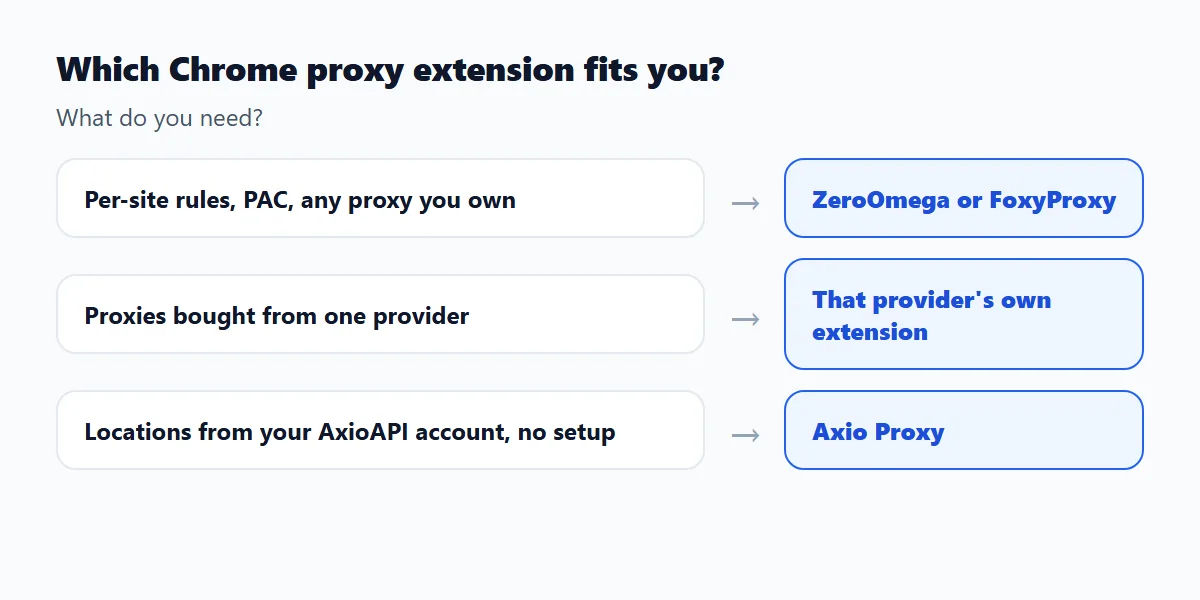
- Testing a site from several countries with your own proxy list: ZeroOmega or FoxyProxy with one profile per country.
- Sending only a few domains through a proxy while everything else stays direct: a rule-based manager with auto-switch rules or a PAC file.
- Using proxies you bought from one provider: that provider's extension, if it has one.
- Checking what a page looks like from another location without managing proxy details: Axio Proxy.
- Running different proxies in different windows at the same time: separate Chrome profiles started with their own --proxy-server flag, as described in the Chrome proxy settings guide.
How to choose
Answer one question first: do you need to decide, site by site, which traffic goes through which proxy?
- Yes, or you have your own proxy servers: use a rule-based manager such as ZeroOmega or FoxyProxy.
- You bought proxies from one provider: try that provider's extension, which is set up for its own proxies.
- You want to test a website from another location with a few clicks and an AxioAPI balance: use Axio Proxy, and note that it has no per-site rules.
- You need both: keep one active at a time, because only one extension can control the Chrome proxy.
Using AxioAPI proxies in other tools
The proxy API returns the host, port and credentials of a session, which you can enter in any tool that accepts a standard proxy, including a rule-based manager. For Chrome, choose the http or https protocol, because Chrome's settings do not support a SOCKS5 proxy with a login. The sticky vs rotating proxy guide shows how to create and close a session, and the Chrome proxy settings guide covers the other ways to point Chrome at a proxy.
Frequently asked questions
What are some alternatives to Proxy SwitchyOmega?
ZeroOmega, FoxyProxy, BP Proxy Switcher and provider extensions such as those from Webshare, Oxylabs and Decodo. For one-click locations from an account, Axio Proxy.
What is ZeroOmega?
ZeroOmega is an open source fork of SwitchyOmega that keeps its profiles and auto-switch rules and runs on Chrome, Firefox and Edge.
Which proxy switcher is the best?
It depends on your need. For rules and your own proxies, ZeroOmega or FoxyProxy. For quick connection to a location with an account, Axio Proxy or your provider's own extension.
Is there a FoxyProxy extension for Chrome?
Yes. FoxyProxy is available for Chrome, Firefox and Edge, and it is open source.
Can I use more than one proxy extension?
You can install several, but only one can control Chrome's proxy at a time. Disable the others before you rely on one.
Does Axio Proxy replace SwitchyOmega?
No. Axio Proxy connects through proxies from your AxioAPI account and has no per-site rules or custom proxy list. Use a rule-based manager if you need those.
Sources
Related guides
- How to set up a proxy in Chrome (Windows, macOS, Linux and ChromeOS)System settings, a launch flag or an extension: the steps for each, how to check the IP and how to fix proxy errors.
- WebRTC leak in Chrome: how to test and fix it when you use a proxyTest for a WebRTC leak with a short console script and see which Chrome setting stops it.
- Sticky vs rotating proxy: which one to useWhen to keep one IP and when to change it, with a session lifecycle you can script.